
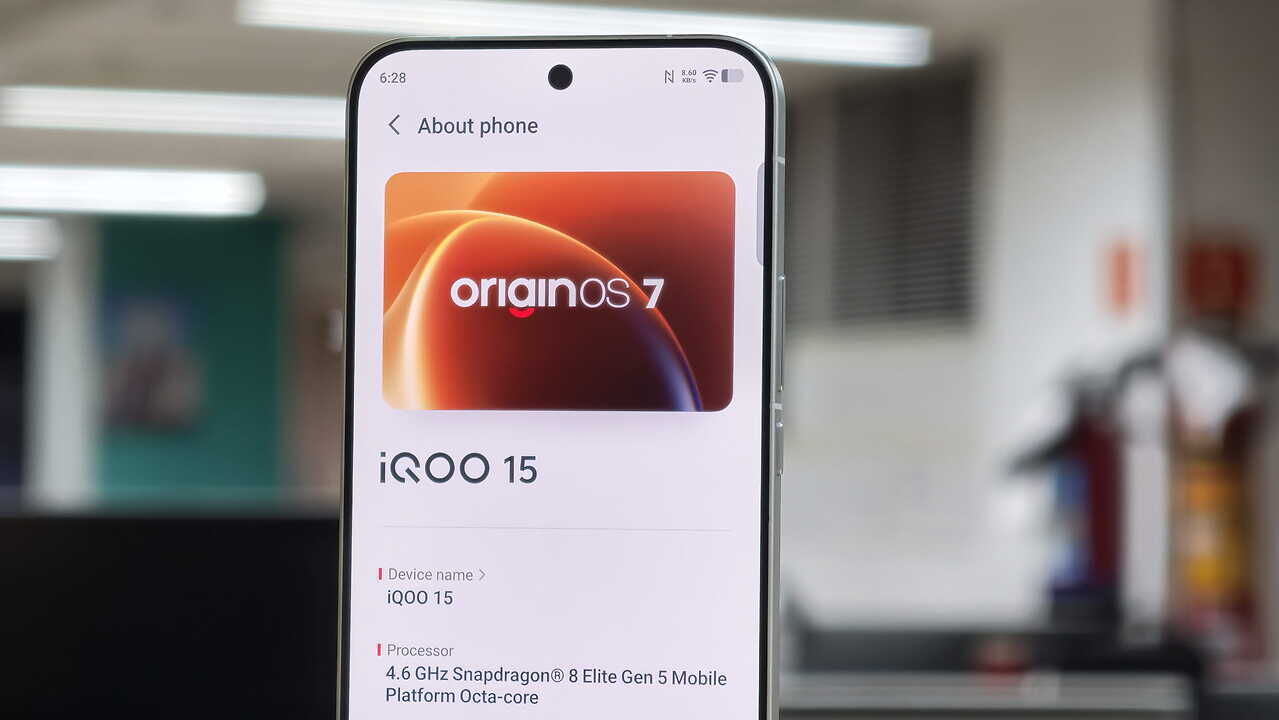
Last year, OriginOS 6 gave Vivo and iQOO phones a much-needed upgrade, with cleaner aesthetics, customisation options and better overall performance. Now, with the upcoming flagships from both brands right around the corner, it’s time to look at what OriginOS 7 will bring to these new devices, and to the older ones that are getting the update too.
Built on Android 17, OriginOS 7 offers a variety of new features. I’ve been using the beta build on my iQOO 15, and I’ve also tried the stable build on the Vivo X Fold 6 and the upcoming Vivo flagship. After spending time with it on all three, I found five productivity features that I’d actually use every day. Here they are.
1. Origin Workbench
Let’s start with the one that changed how I used the phone most. Origin Workbench is OriginOS 7’s answer to multitasking, and it’s more than split screen. It gives you a single workspace that can hold up to five apps or tabs at once, so you can attend a meeting, gossip about your peers on WhatsApp with your work friend, audio record the entire session for later use, take notes if any and a few other tools open side by side.
I tested it on the iQOO 15 and the Vivo X Fold 6, and the difference in how it feels is huge. On the Fold, the extra screen makes it feel like a proper desktop. On the iQOO 15, I was sceptical about five apps on a regular slab, but the layout controls make it manageable. You can resize the main active window and flip between horizontal and vertical splits depending on what you’re doing. Reading and typing felt better in a vertical split, while comparing two things felt better in a horizontal one.
You could argue that you can switch apps and that would also offer the same experience. Actually, no. A lot of times, the apps we keep in the background can reload, killing the on-going task. In this case, running apps stay alive in the background, so you could jump from a half-written note to a chat and back without losing my place or my typing. If you’ve ever had a phone kill an app right when you needed it, you’ll know why this matters.
Then there’s the AI cross-app drag, which is my favourite part. I pulled an address from a WhatsApp chat straight into a note, and moved a photo into an email draft, without copying, switching apps or pasting. It sounds small, but it’s the kind of thing you end up doing a dozen times a day.
There is a catch. Workbench is designed for high-performance multitasking and is available on models with 12GB RAM or more. If you’re on a lower-RAM variant, you’re out of luck, which is a bit disappointing.
2. Origin Island – Snap & Go
I take a lot of screenshots. Flight details, event invites, movie tickets, and most of them sit in my gallery until I forget what they were for. Snap & Go, part of Origin Island, is built for exactly this habit.
After you take a screenshot, the AI scans it and picks out the key information. I tried it with a flight confirmation and an event invitation, and it pulled out the dates and details and offered to create a calendar event or reminder. No typing, no switching between apps to copy things over. It felt like the phone was finally doing the boring bit for me.
Origin Island itself is more than a screenshot tool. It acts as a dynamic status area that shows your battery level, Bluetooth accessory connections, spatial audio toggles and media controls. I’ll be honest, I didn’t think much of it at first, since every brand has its own take on this idea. But after a few days I was glancing at it for quick controls instead of pulling down the notification shade.
3. AI Reader Mode
PDF Reports by nature are annoying. What’s even more annoying is their formatting for a bigger page, which means constant pinching and zooming.
OriginOS 7 adds a reader mode inside the PDF viewer, and it makes long documents far easier to read on a phone-sized screen. It clears out the clutter and reformats the content, so you can just read. I used it on a few long reports and it was a much more comfortable experience than the usual zoom-and-scroll routine.
4. AI Recorder
I record a lot of interviews and briefings, so a reliable recorder matters to me. The AI Recorder is the feature I’d put at the top of the list in terms of requirements for journalists and students.
It transcribes in real time and, more importantly, tells different speakers apart. Anyone who has tried to clean up a raw transcript of a two-person interview knows how much work that saves. The transcript is also formatted automatically, with sub-headings and structured paragraphs, so it’s easier to skim and edit.
Then there are the smart summaries. After a recording, the AI produces a concise summary with the key takeaways and actionable decisions. It won’t replace listening to something important, but for a quick refresher after a long meeting or lecture, it’s very handy.
5. Capture Notes
The last feature is called Capture Notes, and it’s quietly the most practical of the five. It can turn physical content into editable digital text using multimodal AI OCR. It covers handwritten notes, whiteboard drawings, slide decks and even mind maps.
What I liked is that it doesn’t just pull out raw text. It keeps the layout, formatting and design of the original, so even printed document in a table format comes out looking like the real thing, not a jumble of words. The Notes app itself can sort notes by topic, build an outline and write an executive summary.
The intent wheel is a clever touch. When you drag photo with text, or any other content into Notes, a wheel pops up so you can translate the text, create a contact or extract the key text in a single gesture. It saves a few taps each time, and those add up.
My two cents
What stays with me after using OriginOS 7 is how little of it feels like a gimmick. Most AI features on phones are marketing gimmicks and are forgotten by the second week. These five solve everyday problems for me.
While I tested the entire OS on beta, the stable version is now available. Some of the features, like Workbench, depend on having 12GB of RAM or more. But if this is what runs on the upcoming flagships from Vivo and iQOO, there’s a lot to look forward to.
